45 results

Alarm
Full-featured alarm with recurring alarms, snooze, and watch widget. Simple and effective interface.

Alti-Barometer
Precision altimeter and barometer. Measures altitude and atmospheric pressure for outdoor activities.

BounceIt
Logo/icon: a dark circle with a glowing white ball top-right and a ring segment, evoking a bouncing ball (game).

Calendar
Calendar synced with your phone. Agenda, reminders and monthly view on your watch.

Camera Controller
Remote control for your phone camera. Trigger shots and preview photos remotely.

d-calculator
Scientific and basic calculator. Perfect for quick calculations on your wrist.
Dial Pilot
Logo/icon: a stylized yellow biplane at a three-quarter angle on a blue gradient, inside a rounded square (game).

Full email client. Read, reply and manage emails directly from your watch.

Find My Phone
App icon: blue circle with a stylized white smartphone overlaid by a magnifying glass, for the Find My Phone feature.

Flip-Flop
Game icon: a circle with a yellow border featuring a blue scalloped burst reading "Flip Flop", surrounded by red discs with a white X on a purple background.
Flying Bird Winter
Logo/icon: a light blue circle with a right-facing pixel-art bird (white body, blue wings, red beak).
Galaxy
App icon (game): black circle with a raised silver letter G and a purple/blue nebula splash behind it.

GAssistNet
Google Assistant on your watch: voice commands, search and quick answers.
Gear 2048
Game icon: orange-to-red gradient circle with the number 2048 in white in a 2x2 grid.

Gear Browser
Web browser for the Gear S3: browse pages right from your watch.

HERE WeGo
App icon (navigation): blue rounded square with a white straight arrow and a right-turn arrow.
High/Low
High/Low card game: guess if the next card is higher or lower.

Internet
Web browser for your watch. Browse and search from your wrist.

Monster Vampire
Icon/logo: bright yellow circle with a black flying bat silhouette (breakout game).
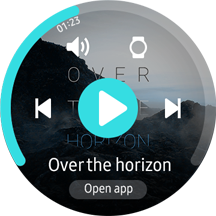
Music
Music player. Control playback, volume and playlists from your watch.

News Briefing
Icon/logo: red circle with a white stepped shape resembling an F.

PPT Controller
Remote for PowerPoint presentations. Advance, rewind and control slides remotely.
rubikcube
App icon: a 3D multicolored Rubik's cube on a gradient purple disc (game).
rubikcube
App icon: a 3D multicolored Rubik's cube on a gradient purple disc (game).

Samsung Flow
Seamless connection between your watch and Samsung devices. Content transfer and synced notifications.

Simple Pinball
App icon: green pinball graphic with a red flipper and grey ball on a white background (game).

SmartThings
App icon: blue central node connected to four circles in a blue-cyan gradient (Samsung SmartThings logo).
Snake 3310
Game icon: olive-green circle with a dark pixel-art snake and the text "3310", evoking the Nokia 3310 Snake.

Speedo-meter
GPS speedometer. Real-time speed display, ideal for cycling or running.

Spotify
App icon: green circle with the Spotify logo (three white arcs).

stopwatch
Precision stopwatch with countdown timer. Great for sports and cooking.
Sudoku
Game icon: teal Sudoku grid with numbers and the word "Sudoku" in black cursive lettering.

TetriS2
App icon: teal circle containing colored Tetris tetromino blocks arranged in a staircase (game).

Time Zone Data
Timezone converter. Check the time anywhere in the world.

Timer
App icon: purple circle with a white hourglass, its lower sand portion in light purple.

Voice Recorder
Portable voice recorder. Capture voice notes and memos in one tap.

VR Controller
Remote for Gear VR: control virtual reality from your wrist.

VR Controller
Remote for Gear VR: control virtual reality from your wrist.
Watch Bixby
Full Bixby voice assistant. Voice commands, search and hands-free interaction.
Watch Bixby Provisioning
App icon: a stylized lowercase "b" in a blue-to-cyan gradient on a white circle, the Bixby logo.

Watch Bixby Voice
Logo/icon: charcoal circle with a pinwheel of curved blue and white petals, the Samsung Bixby voice service emblem.

Weather
App icon: sky-blue circle with a yellow sun partly hidden behind a white cloud.

World Clock
World clock. Track time across multiple timezones simultaneously.
worldflagsquiz
App icon: a globe made of many national flags, with a head silhouette containing a colored lightbulb (quiz game).

Zaba
App icon: a cartoon white-and-green frog with large eyes and its tongue out, on a plain green circular background (game).